DokkitPhone
Phone
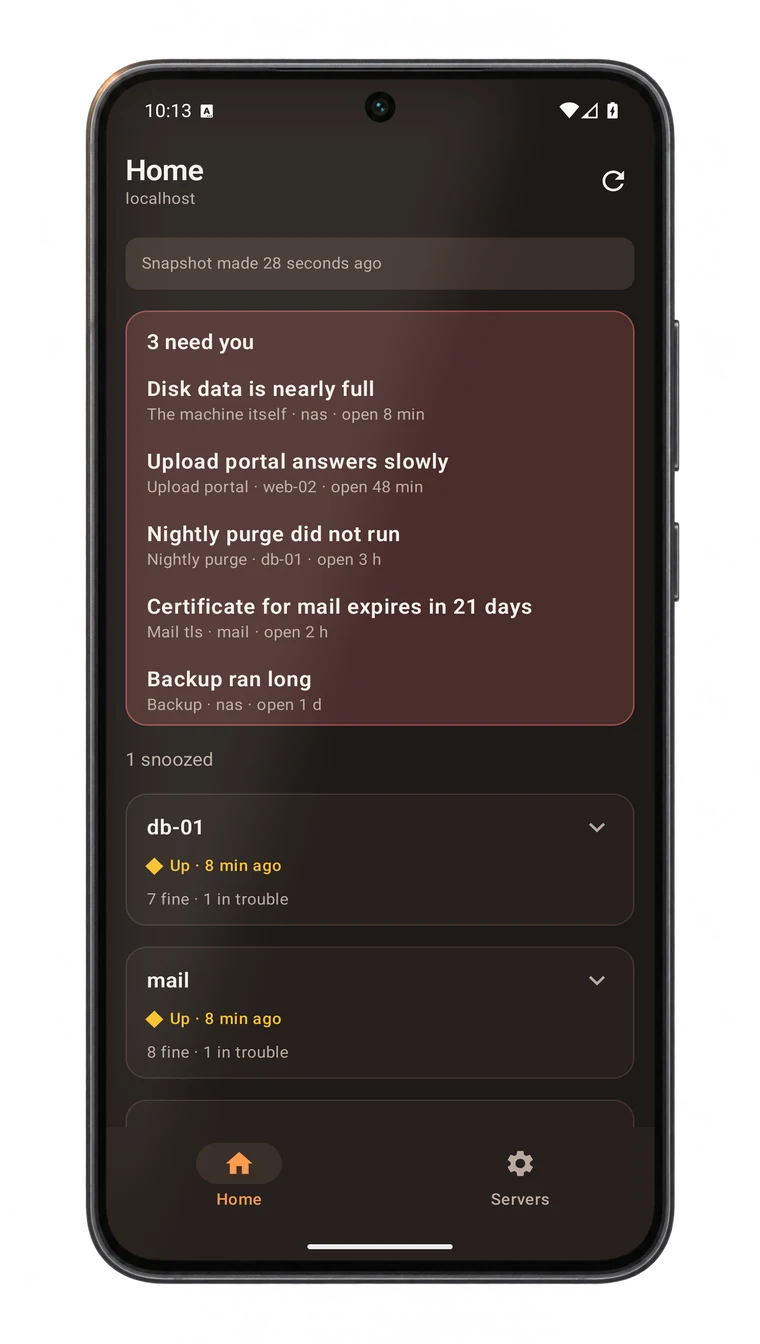
See what needs you, and whether the hardware is up, from your phone, even though your server is not on the internet. The apps are read-only, for iPhone and Android.
How it reaches you
- The server only ever dials out, to the relay. It opens no port for the phone.
- Each phone has its own key and its own copy. The relay sees sealed bytes and the time they arrived.
- The apps change nothing on the server and send no notifications. Alerts still come the ways you set on the Alerts page.
Run a relay
The relay is a mode of the same dokkit program, on any host your phone and your server can both reach.
- On that host, make a mailbox for your server. It prints the mailbox address and its upload key, once:
dokkit relay add home - Serve it behind the https proxy you already run there:
dokkit relay serve --http 127.0.0.1:8080 - In Dokkit, open Settings, Phones and paste the mailbox address and the upload key.
A shared relay at relay.dokkit.dev soon
So nobody needs a public host of their own to use the phone app. It would hold sealed snapshots it cannot read, like any relay.
Get the app
The apps are not on the App Store or Google Play yet. Until they are, each release carries both, unsigned, and you sign them with your own account or key.
iPhone a Mac with Xcode 16, iOS 17 or later
- Install XcodeGen with
brew install xcodegen, then runxcodegen generateinapps/ios. - Open
Dokkit.xcodeproj. Under Signing & Capabilities choose your Team and a bundle identifier of your own. - Turn on Developer Mode on the iPhone, connect it, and press Run.
Signed with a free Apple ID it stops opening after seven days; run it from Xcode again to renew. A paid account lasts a year.
Android the signed file installs like any app
- Take
dokkit-android-unsigned.apkfrom a release, or build it with./build-unsigned.shinapps/android. - Make a key once with
keytool, then sign withapksigner sign --ks dokkit.jks. - Install it with
adb install, or copy it to the phone and open it.
Keep the key: an update must be signed with the same one.
Pair it
- In Dokkit, open Settings, Phones, Add a phone. A code is shown once, for two minutes.
- In the app, choose Servers, Add a server, and point the camera at it. Or paste the code.
One phone can follow several servers. Remove a server in the app and its key, token and saved snapshot are deleted from the phone.